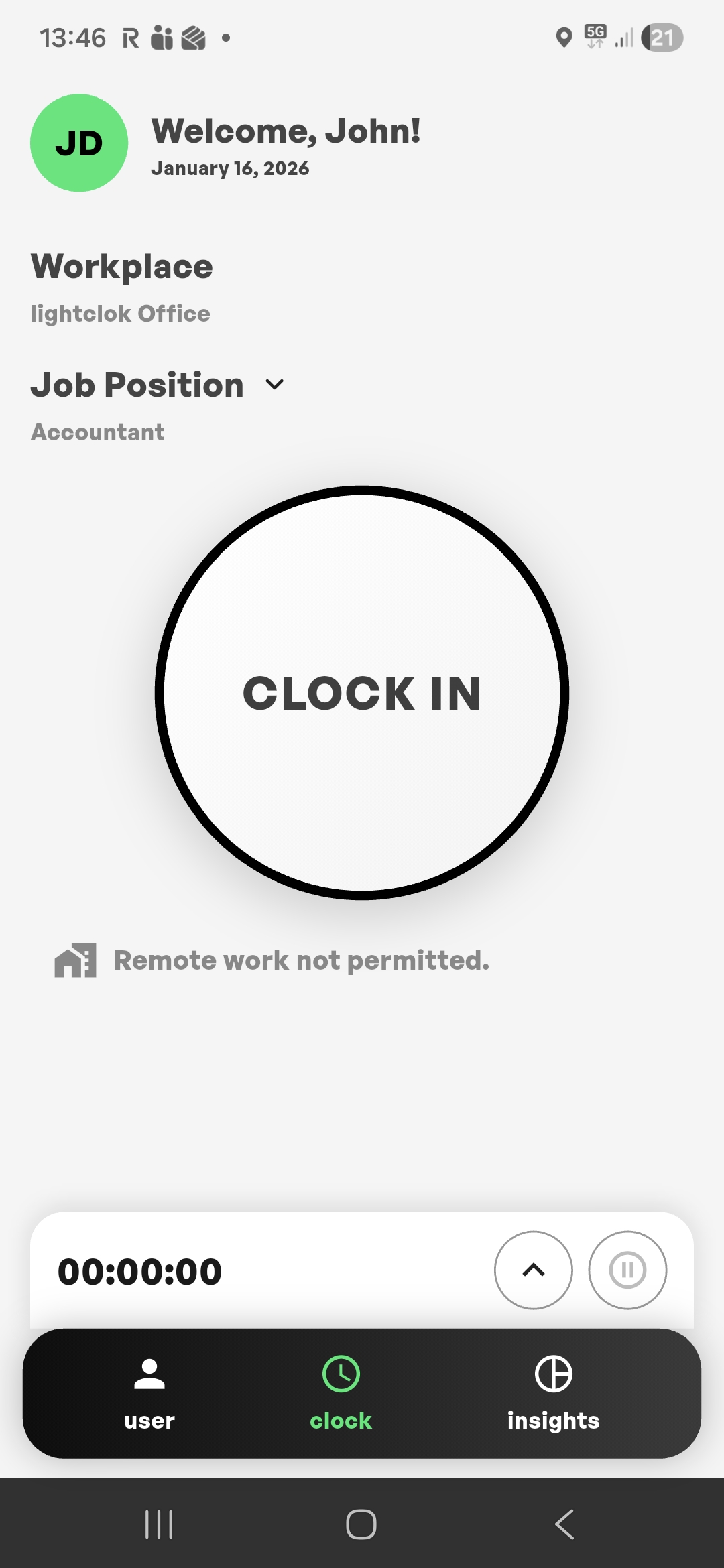
1. Clock in
Open the app, pick your workplace and position, and tap Clock in. The timer starts instantly.
Built for teams and work agencies
Clock in, track breaks, approve timesheets, and export reports. LightClock keeps work time simple and auditable.

Three taps, one source of truth.
Open the app, pick your workplace and position, and tap Clock in. The timer starts instantly.
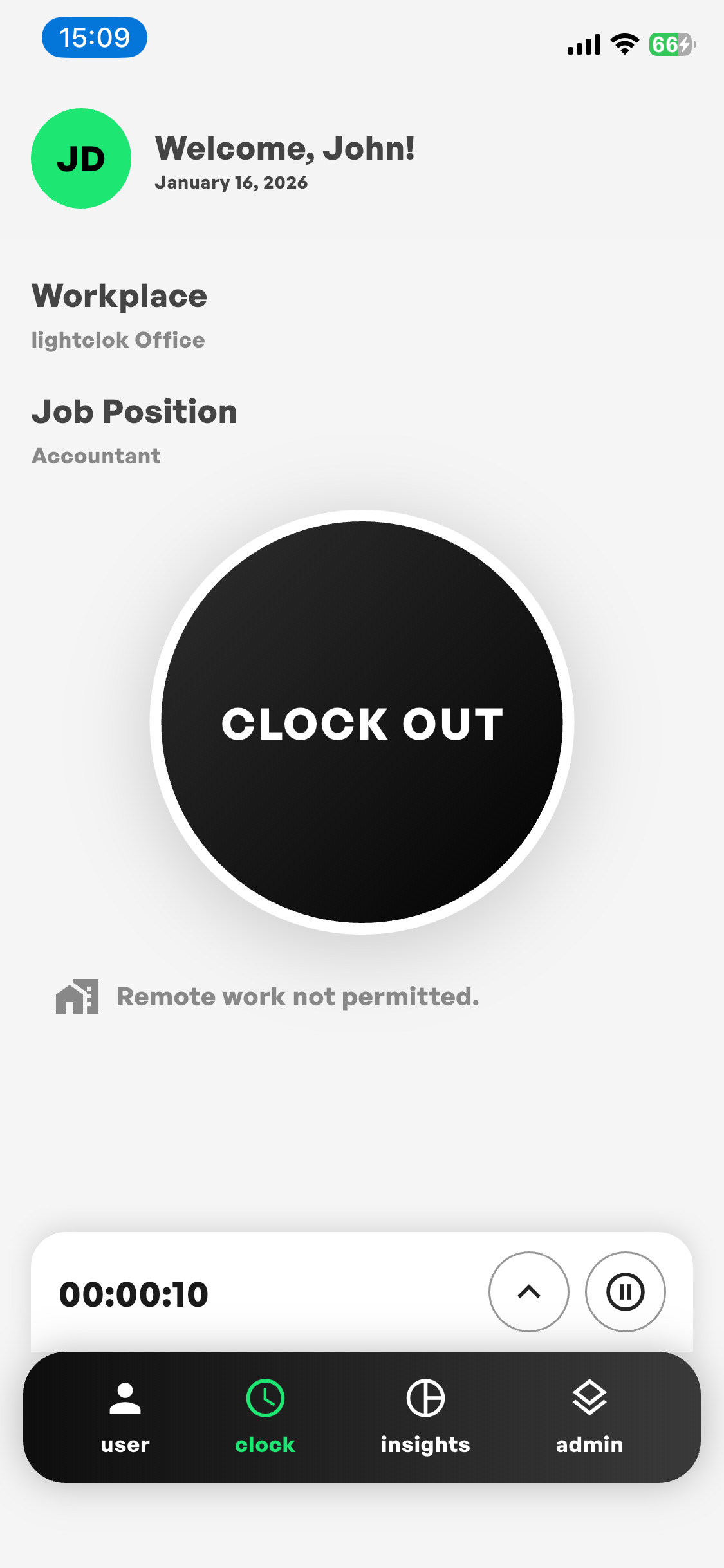
Finish your shift with one tap. Breaks are tracked separately and roll up automatically.
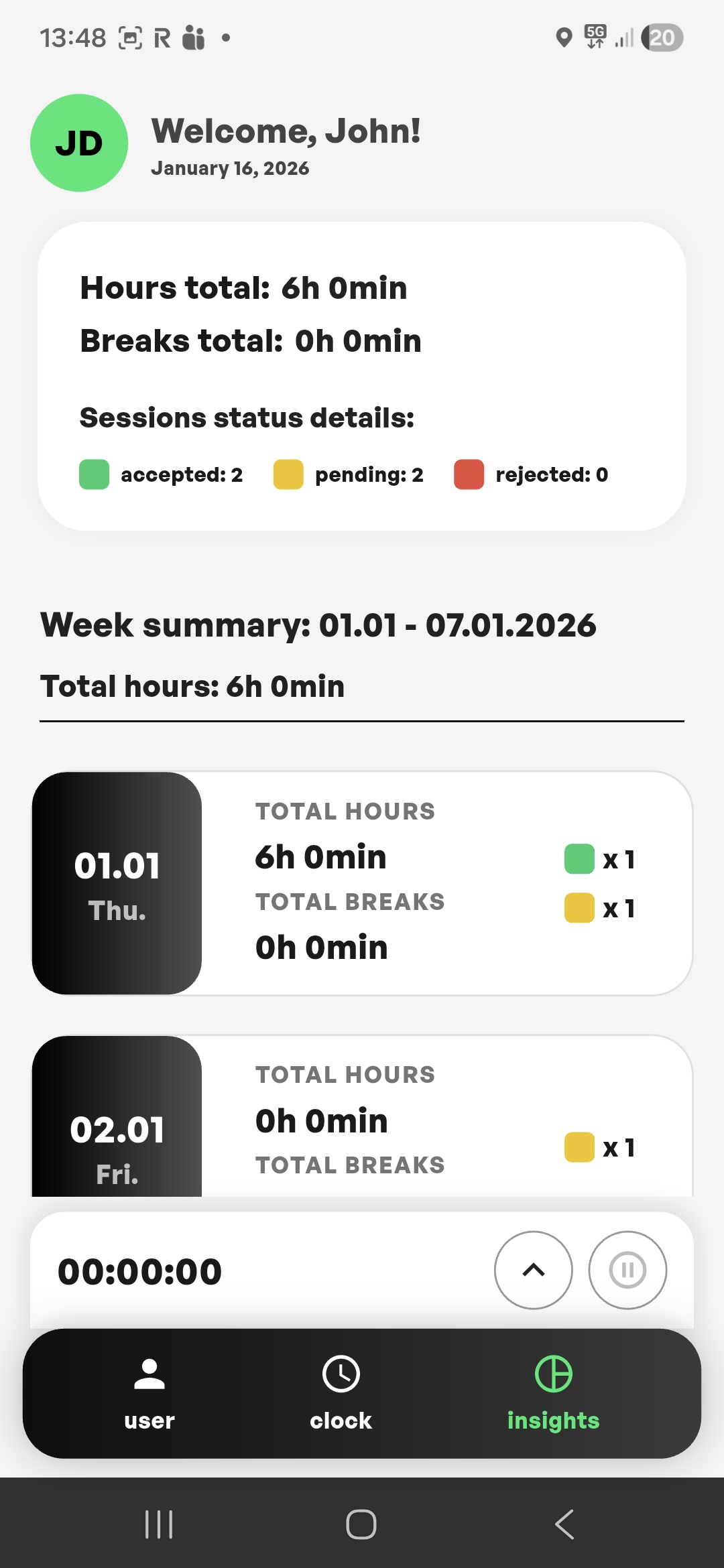
Total hours, breaks and session status — accepted, pending, rejected — all on one screen.
A clean workflow from clocking in to exporting payroll-ready reports.
One tap clock in, break, resume, and clock out. Designed for daily use.
Review and approve timesheets. Keep an audit trail for changes.
See hours, overtime, and trends. Spot anomalies before payroll day.
Connect to your workflow with webhooks and simple exports.
For managers and admins
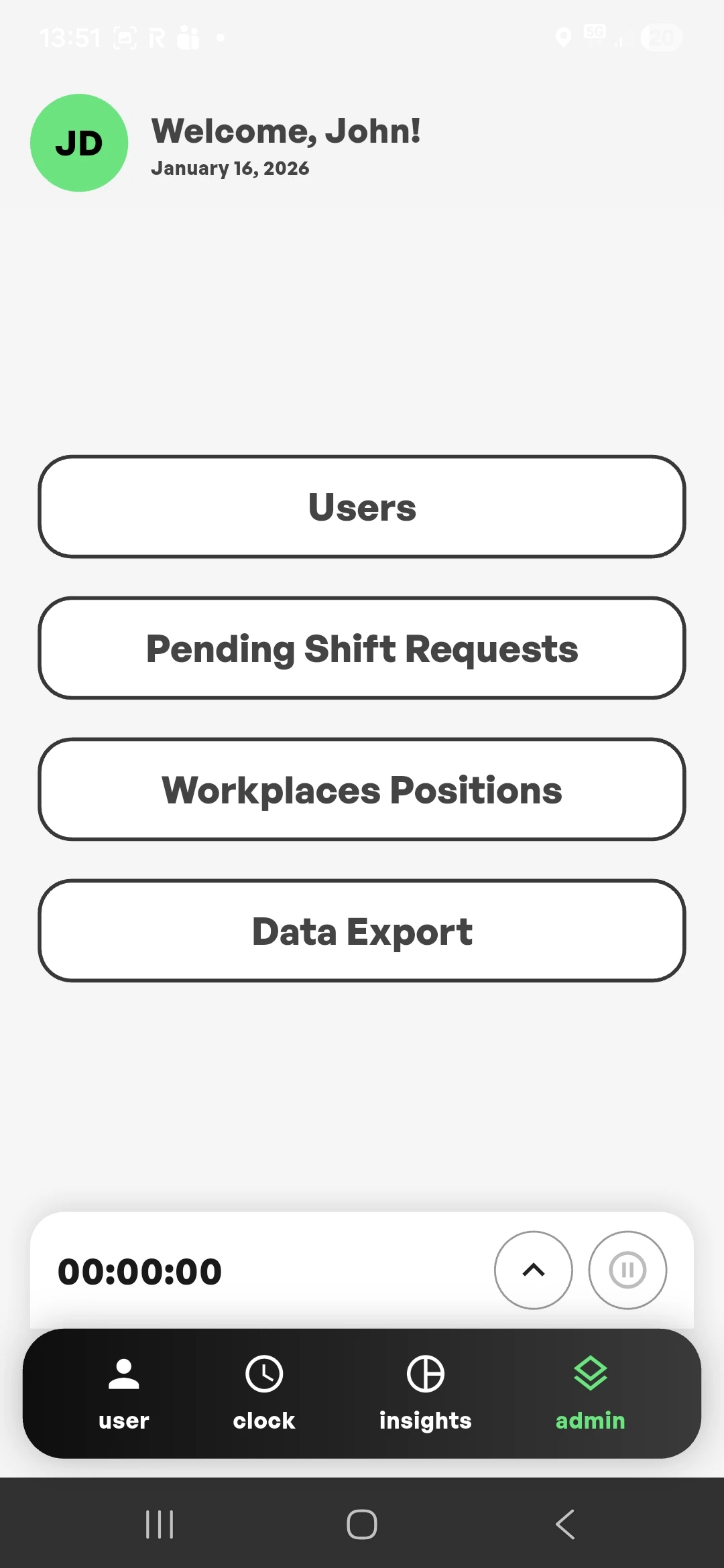
LightClock gives administrators the same speed as every other employee — with full oversight.
LightClock fits wherever time matters.
Many workers, many sites, one export. A clean CSV per organization for every billing cycle.
Restaurants, production, services, security — predictable shifts recorded to the minute.
Flexible schedules, remote or on-site — the rules follow the job position, not the person.
Construction, logistics, service technicians — GPS validation confirms presence on site.
LightClock focuses on the essentials. Minimal UI, fewer taps, fewer errors. Works for office, field, and remote teams.
Interactive demo. No data is stored.
Your data, your rights — by default.
Users sign in only via magic links sent to their email. No passwords to leak and no password resets to handle.
Every session uses JWT tokens refreshed every 30 minutes. If a device is lost, access times out quickly.
Data is stored on enterprise-grade cloud infrastructure in the EU, with every built-in security and backup feature of the provider enabled.
You can access, export or delete your data at any time. Only work-time sessions and minimal account data are stored.
Everything worth knowing before you roll LightClock out.
Pricing is tailored to your needs. Write to us at contact@lightapply.com and we will prepare an offer for your company.
Yes, LightClock has a fully working offline mode. Sessions sync automatically once the device is back online.
Sessions that require approval show up in a dedicated view visible only to administrators, so nothing slips through.
Yes. All data can be exported to CSV, per organization and date range.
Only during use of the app and only to verify whether the user is within the configured work area. Location is not tracked in the background.
Yes. You can enable or disable remote work independently for each job position.
Up to two weeks, including onboarding, workplace configuration and the first exports.
Work-time sessions, basic personal details and an email address. Everything is stored in a secure database on servers located in the EU.
Trusted in daily operation
employees track their work time with LightClock every day